1
Logout & Close
First, Logout from your account and then Close your browser completely.
2
Clear Browser Cache
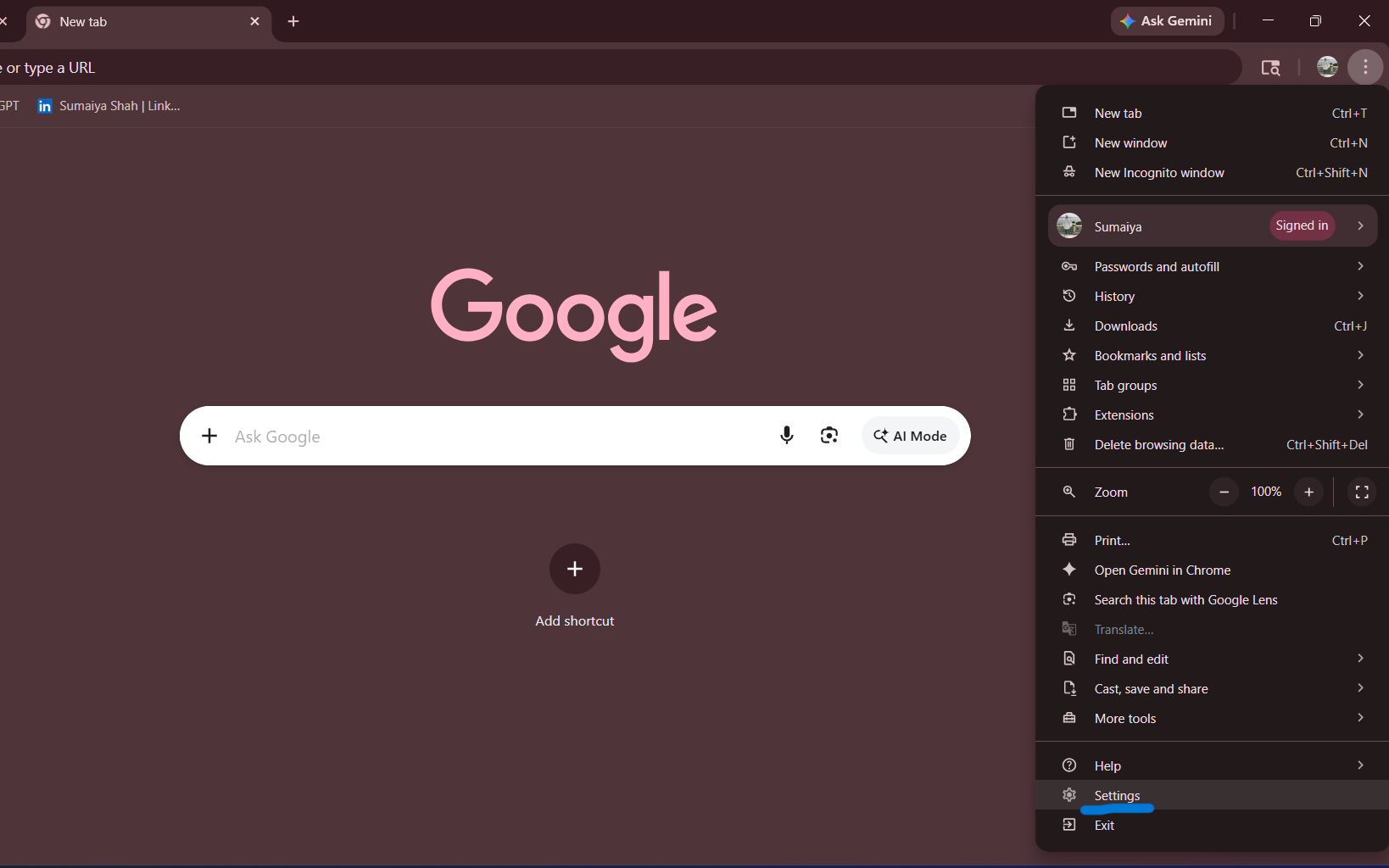
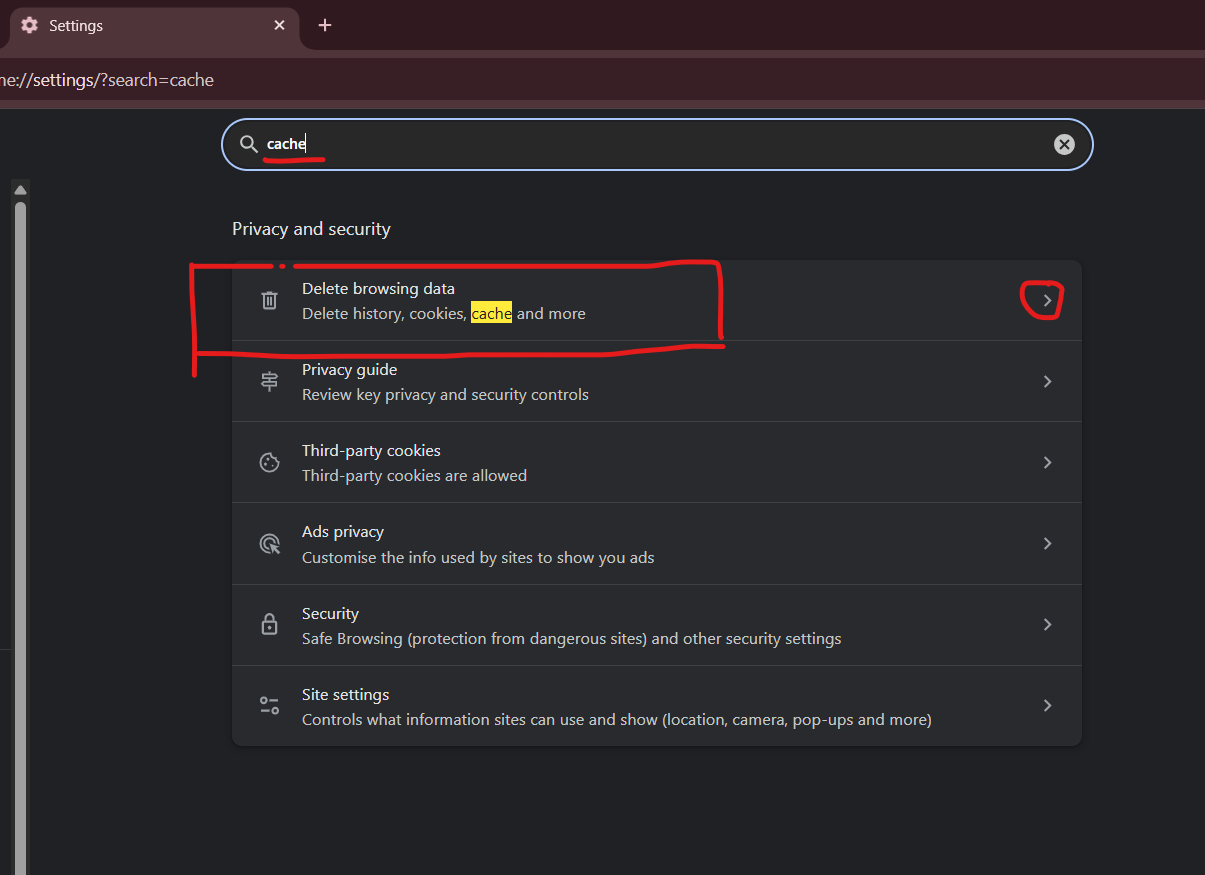
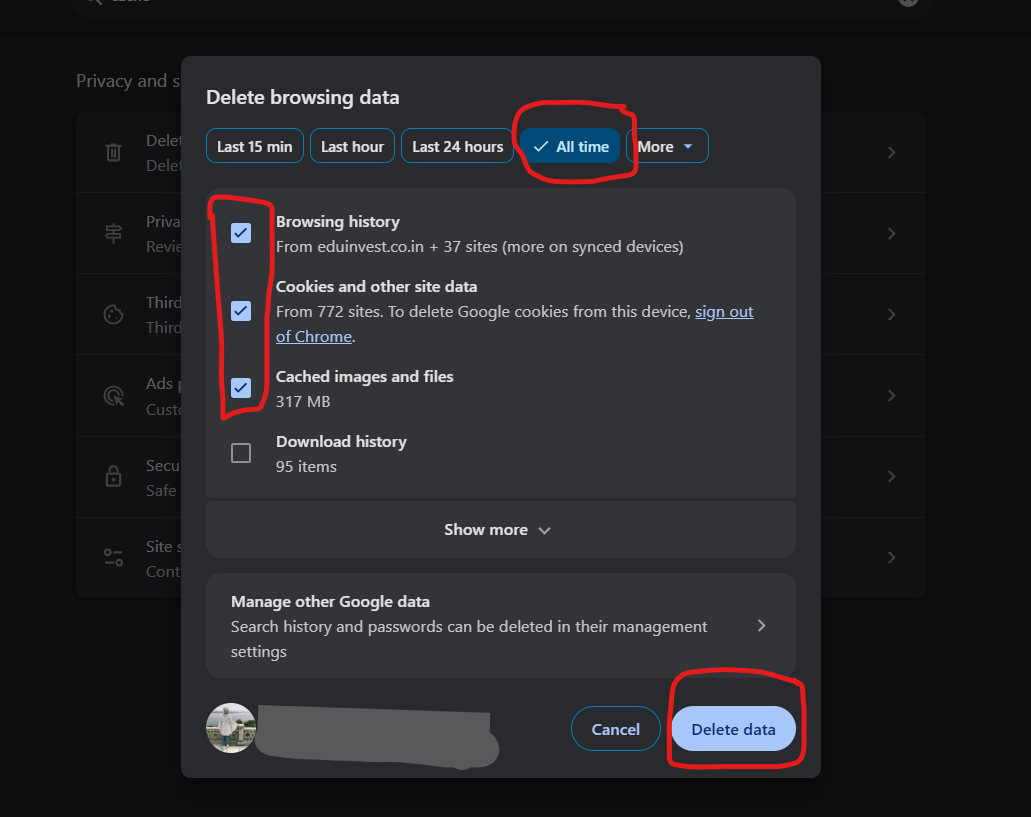
Follow these sub-steps exactly as shown in the images:
- Open your browser again.
- Open Browser Settings.
- Search for "Cache" in the search bar.
- Select checkboxes as shown in the images below.
- Click on Delete Data or Clear Data.
3
Use Incognito Mode
If the error still appears, open an Incognito Window (or Private Window). This ensures no old data interferes with your login.
Tip: In Chrome, press Ctrl + Shift + N to open Incognito mode quickly.
4
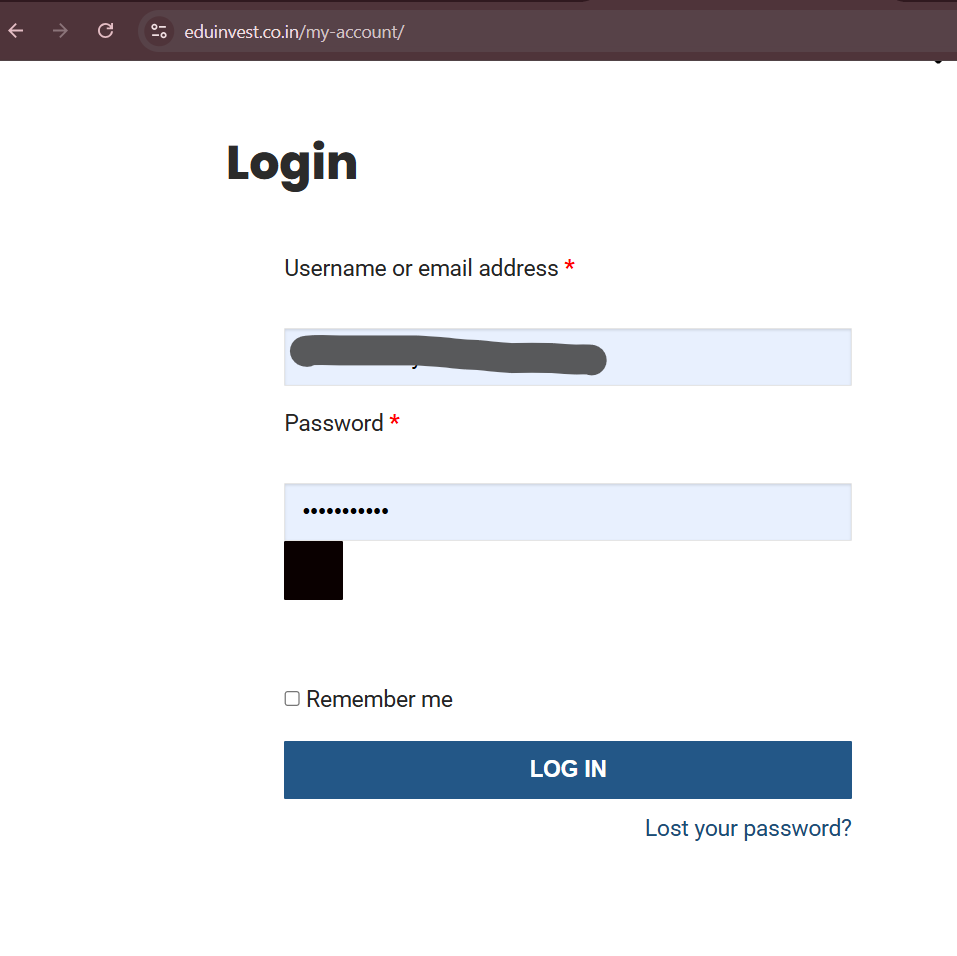
Login Again
Go back to the login page and access your courses:
eduinvest.co.in/my-account/Once logged in, scroll down to access your course.
✅ Error is fixed
Great! You can now continue with your studies without any issues.
❌ Still not working?
If you have tried all steps above but the error still remains, please contact support.
Still need help? 😊
If the technical steps above did not fix the issue, reach out to our team.
Contact support